



How to create a parcel through the Meest Portal online service


 To share
Meest offers a convenient way to arrange delivery independently — via the online service on the website it.meest.com or through the mobile app. It’s fast, simple, and accessible from any device.
Step 1. Register or log in to your personal account
To create a parcel online, you need to create an account or log in to your cabinet. This can be done:
- via email;
- using Google or Apple ID.
Account benefits:
- access to the history of all shipments;
- recipient address book;
- special discounts for registered users.
Step 2. Create a new parcel
In your account, click the “New Parcel” button and fill in the details:
- country from which the shipment will be sent and the destination country;
- parcel dimensions (weight, length, width, height).
Step 3. Choose the method of parcel drop-off and delivery
At this stage, choose a convenient way to send your parcel:
- Self-drop-off at a partner drop-off point (you bring the parcel to the partner drop-off location);
- Courier pickup — a courier will come to the address you specify.
Also, choose the delivery method:
- to a Meest postal office
- by Meest courier
- to a Nova Poshta postal office
*All delivery cost calculations are done automatically based on the entered data.
*Drop-off points are available throughout Italy.
Step 4. Fill in the sender and recipient information
Specifically, enter:
- full name;
- contact information (phone or email);
- home address.
+ Choose the nearest drop-off point
Step 5. Fill in the information about the contents of the parcel:
Here you can choose the product category, quantity, and declared value.
Step 6. Review the information and pay for delivery
Carefully check all the entered data. Delivery is paid online immediately after completing the order. Available payment methods:
- bank card;
- Apple Pay;
- Google Pay;
- Blik.
The delivery cost depends on the weight of the parcel and the destination country.
Step 7. Prepare your parcel
After payment:
- pack the shipment according to the rules;
- attach the label, which will be available for download after payment;
- hand over the parcel at the branch or to the courier.
If you have any doubts about packaging — contact our info line: +39 0811 9299029 or fill out the form on the website.
Step 8. Track the delivery
After placing the order, you receive a tracking number that allows you to monitor the parcel’s movement in real time.
Why it’s worth registering online:
- Calculate the delivery cost;
- Create your parcel online;
- Pay in a convenient currency;
- Choose a convenient way to send and receive your parcel;
- Manage your shipments.
Go to it.meest.com and create your parcel right now
Delivery has never been this easy!
To share
Our news

Back to School with Meest: care knows no distance 🎒
It’s time to act – the new academic year is just around the corner.

Give a Smile to a Child: Send Parcels for International Children's Day with Meest Italia
Send a piece of love and childhood joy straight from the heart of Italy!
Send packages from Rome to Ukraine with Meest Italia
Place your order online or drop off your package at our location: Via Bartolomeo Bossi 1.
Parcel delivery from Italy to Ukraine by courier — door to door
We offer a simple and comfortable way to send parcels
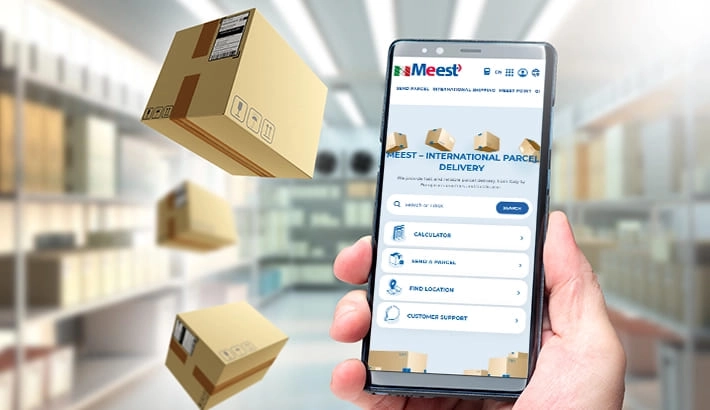
Meest Italy is launching a new online portal for sending parcels!
Now the arrangement of delivery has become even simpler, more convenient, and faster!